


Introduction
WordPress plugins can turn a basic website into a powerful business platform. They can add custom forms, payment features, dashboards, integrations, automation, WooCommerce functionality, and almost anything else a business may need.
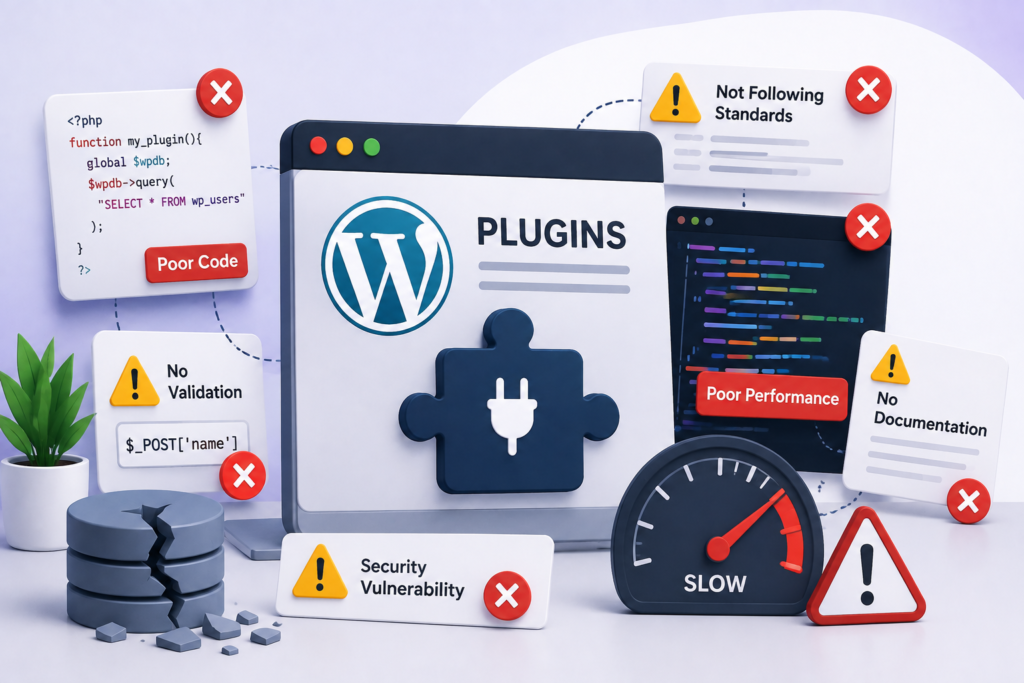
But developing a plugin isn’t simply about making a feature work.
A poorly developed plugin can slow down a website, create security vulnerabilities, cause conflicts with other plugins, or become difficult to maintain after a few WordPress updates. These problems are especially common when development focuses only on the immediate requirement instead of the long-term health of the website.
Whether you’re building a small internal tool or a complex WordPress Custom Plugin, understanding common development mistakes can help you avoid expensive problems later.
Here are some of the most important mistakes to watch for.
1. Building Without Understanding the Actual Requirement
One of the biggest mistakes is starting development before understanding what the plugin is supposed to accomplish.
A business may ask for a “custom booking plugin,” for example, but that description doesn’t explain:
- Who can create bookings?
- What information should be collected?
- Are payments required?
- Can bookings be cancelled?
- Should users receive notifications?
- Are there different user roles?
- Does the system need to connect with another platform?
A good Plugin Developer starts with the workflow rather than immediately writing code.
The clearer the requirements are, the less likely the project is to require expensive changes later.
2. Creating a Plugin That Does Too Much
Another common problem is turning one plugin into a collection of unrelated features.
A plugin might start with a simple requirement and gradually become responsible for:
- Forms
- Analytics
- Memberships
- Notifications
- Payments
- Marketing
- Reporting
This can make the plugin difficult to test and maintain.
A better approach is to define a clear purpose and keep the architecture modular. Features should be added because they solve a genuine requirement, not simply because they are technically possible.
3. Ignoring WordPress Coding Standards
WordPress has established development practices for a reason.
Ignoring coding standards can lead to:
- Difficult-to-read code
- Naming conflicts
- Maintenance problems
- Compatibility issues
- Inconsistent development
Professional WordPress Plugin Developer Services should follow appropriate WordPress coding practices and maintain a consistent structure throughout the project.
Clean code also makes it easier for another developer to understand the plugin later.
WordPress has established development practices that help developers create cleaner and more maintainable plugins. Following the official WordPress Coding Standards is a good starting point for consistent plugin development.
4. Hard-Coding Everything
Hard-coded values can make an early prototype seem convenient, but they create problems when the website needs changes.
For example, putting business settings directly into source files makes it harder for administrators to update them.
Important settings should generally be manageable through appropriate configuration or WordPress administration interfaces.
This gives website owners more control without requiring a developer to modify the source code every time a setting changes.
5. Forgetting Security
Security should be considered from the first line of code.
A custom plugin may process:
- Customer information
- Form submissions
- User accounts
- Payments
- API credentials
- Business data
That makes security particularly important.
A Plugin Developer should consider practices such as:
- Input validation
- Data sanitization
- Output escaping
- Permission checks
- Nonces where appropriate
- Secure API communication
- Proper access control
Security isn’t something that should be added immediately before launch.
Security should be considered from the first line of code. Developers should follow WordPress’s official Plugin Security Guidelines when handling user input, permissions, nonces, and sensitive information.
6. Loading Scripts and Styles Everywhere
A plugin may only need its JavaScript or CSS on one particular page, but poorly structured plugins can load those files throughout the entire website.
This creates unnecessary requests and can affect performance.
For example, if a plugin provides a custom booking form, its assets may not need to load on every blog article.
A performance-conscious plugin loads resources when and where they are actually required.
7. Making Too Many Database Queries
Database performance can become a serious issue as a website grows.
A plugin that repeatedly queries the database without considering efficiency may work perfectly on a development website with 50 records but behave very differently with thousands or millions of records.
Before building a Custom Plugin Development solution, developers should think about:
- How much data will be stored?
- How often will it be accessed?
- Which queries will run frequently?
- Can results be cached?
- Are appropriate database structures being used?
Planning for realistic data volumes helps prevent future performance problems.
8. Using the Database Without a Clear Structure
Custom data should have a clear purpose and structure.
Developers sometimes store everything in existing WordPress fields simply because doing so is quick. That may be suitable for simple requirements, but it isn’t always the best choice for complex systems.
A custom solution may require a different data structure depending on:
- Data relationships
- Query requirements
- Expected data volume
- Reporting needs
- Performance considerations
The right choice depends on the project rather than following a single rule for every plugin.
9. Creating Conflicts with Other Plugins
WordPress websites often contain several plugins from different developers.
A custom plugin should therefore avoid unnecessarily creating conflicts.
Common sources of conflict include:
- Generic function names
- Global variables
- Duplicate JavaScript libraries
- CSS selectors that are too broad
- Poorly isolated code
Using appropriate namespaces, prefixes, modular structures, and careful asset management can significantly reduce these risks.
10. Ignoring WordPress and PHP Updates
A plugin that works today may encounter problems after future platform updates.
WordPress, PHP, WooCommerce, browsers, and third-party APIs can all evolve.
Good WordPress Plugin Developer Services should consider maintainability rather than treating launch as the end of the project.
Testing against supported versions and keeping dependencies updated can help reduce compatibility problems.
11. Not Testing on a Staging Website
Making major plugin changes directly on a live website is risky.
A staging environment provides a safer place to test:
- Plugin updates
- Database changes
- New features
- Theme compatibility
- WooCommerce functionality
- WordPress updates
For business-critical websites, testing before deployment can prevent avoidable downtime.
12. Skipping Error Handling
Not every API request will succeed.
Servers can go offline. Payment gateways can reject requests. External APIs can change. Users can submit unexpected information.
A plugin should be designed to handle failures gracefully.
Good error handling can:
- Prevent broken pages
- Give administrators useful information
- Protect sensitive data
- Help developers diagnose problems
- Improve the user experience
A plugin should not simply assume that every external service will always respond correctly.
13. Depending Too Heavily on External APIs
Third-party integrations can add valuable functionality, but they also introduce dependencies.
Before integrating an external service, consider:
- What happens if the API is unavailable?
- Is there a request limit?
- What happens when the API changes?
- Where are credentials stored?
- Is sensitive information being transmitted?
- Can the website continue functioning temporarily if the service fails?
A reliable integration needs a fallback strategy where appropriate.
14. Neglecting the Admin Experience
Plugin development often focuses heavily on what website visitors see.
The WordPress administrator experience matters too.
A well-designed plugin should make it easy for administrators to:
- Configure settings
- Understand available options
- Review data
- Manage users
- Identify errors
- Update important information
An unnecessarily complicated admin panel can make an otherwise useful plugin frustrating to manage.
15. Building Without Documentation
Documentation becomes especially important when a plugin contains custom business logic.
Documentation should explain important areas such as:
- Installation
- Configuration
- Main features
- User roles
- API requirements
- Shortcodes or blocks
- Troubleshooting
- Maintenance requirements
This helps future developers understand the system without having to reverse-engineer the entire codebase.
16. Forgetting Uninstall and Cleanup Logic
Installing a plugin is only one part of its lifecycle.
What happens when the plugin is removed?
Depending on the project, a plugin may create:
- Database tables
- Options
- Scheduled tasks
- Uploaded files
- Custom post types
- Metadata
A properly planned plugin should have a clear approach to cleanup and data retention.
This is particularly important when a plugin stores business or customer information.
17. Choosing a Plugin Instead of Custom Development—or Vice Versa
Not every requirement needs a custom plugin.
Sometimes an existing, well-maintained plugin is the most practical solution.
In other situations, installing multiple plugins to achieve one highly specific workflow can create unnecessary complexity.
The right question isn’t:
“Can this be done with a plugin?”
Instead, ask:
“What approach provides the best balance of functionality, performance, security, maintenance, and cost for this website?”
That’s where an experienced Plugin Developer can provide valuable guidance.
18. Not Planning for Future Growth
A plugin may initially serve a small website with a few hundred users. But what happens when the business grows?
Future requirements might include:
- More users
- Larger datasets
- Additional integrations
- Multiple locations
- Advanced reporting
- WooCommerce integration
- Automated workflows
Custom Plugin Development should consider realistic future requirements without unnecessarily overengineering the first version.
The goal is to create a solution that can evolve without requiring a complete rebuild.
How to Avoid These WordPress Plugin Development Mistakes
A reliable development process can prevent many of these problems.
Start With Requirements
Document the business workflow before development begins.
Plan the Architecture
Decide how the plugin will handle data, users, APIs, assets, and future features.
Prioritize Security
Build security practices into the development process instead of adding them at the end.
Test Before Launch
Use staging environments and test different user scenarios.
Monitor Performance
Check database activity, page resources, and plugin behavior as the website grows.
Document the Solution
Make the plugin understandable for both administrators and future developers.
Plan Maintenance
WordPress development doesn’t end when the plugin goes live. Updates, security reviews, compatibility testing, and improvements may be required over time.
When Should You Consider Custom Plugin Development?
Custom Plugin Development makes sense when an existing solution doesn’t properly match your requirements.
For example, a business may need:
- A custom customer portal
- Advanced WooCommerce functionality
- A unique booking workflow
- CRM or ERP integration
- Automated business processes
- Custom reporting
- Role-based functionality
- A specialized API integration
Instead of forcing the business process into an off-the-shelf plugin, custom development can create functionality around the actual workflow.
Why Professional WordPress Plugin Developer Services Matter
A plugin may look simple from the outside, but the underlying implementation can become complex very quickly.
Professional WordPress Plugin Developer Services can help businesses plan, develop, test, and maintain custom functionality while keeping performance and security in mind.
An experienced developer can also determine when custom development is necessary and when an existing solution is the better option.
That balance is important. The goal isn’t to create custom code simply for the sake of customization. The goal is to build the right technical solution for the business.
Final Thoughts
WordPress plugin development offers almost unlimited possibilities, but flexibility comes with responsibility.
A plugin should do more than provide the requested feature. It should be secure, maintainable, efficient, compatible, and capable of adapting as the website evolves.
Avoiding common mistakes such as poor planning, unnecessary database queries, insecure input handling, excessive asset loading, weak documentation, and inadequate testing can make a significant difference to the long-term health of a WordPress website.
If your project requires functionality that standard plugins cannot provide, Custom Plugin Development can be a practical solution. Working with an experienced Plugin Developer and professional WordPress Plugin Developer Services can help you create a WordPress Custom Plugin that fits your business requirements without turning your website into an unnecessarily complicated system.

Hi and welcome! I’ve spent more than 7 years helping WordPress users with easy-to-follow guides, tutorials, and practical tips all completely free.Need expert developer help? I’m just a message away.